Instagram story reply automation: never miss a reply
A story reply is already a direct message — automation makes sure it gets an answer, typically in seconds. Set it once, personalize it with each replier's name, and stop leaving story replies on read. (Delivery follows Instagram's webhooks and rate limits; opted-out users are skipped.)
How story reply automation works
The mechanics, honestly: what Instagram sends us, what AutoDM sends back, and where the one real limitation sits.
A reply arrives — that's the trigger
Instagram delivers story replies through its official API as they arrive. AutoDM receives the event, checks your rule, and queues the answer — usually fast enough that the replier sees your DM while they're still in the thread, though delays happen when Instagram is slow or rate limits apply.
You set the rule once, in the wizard
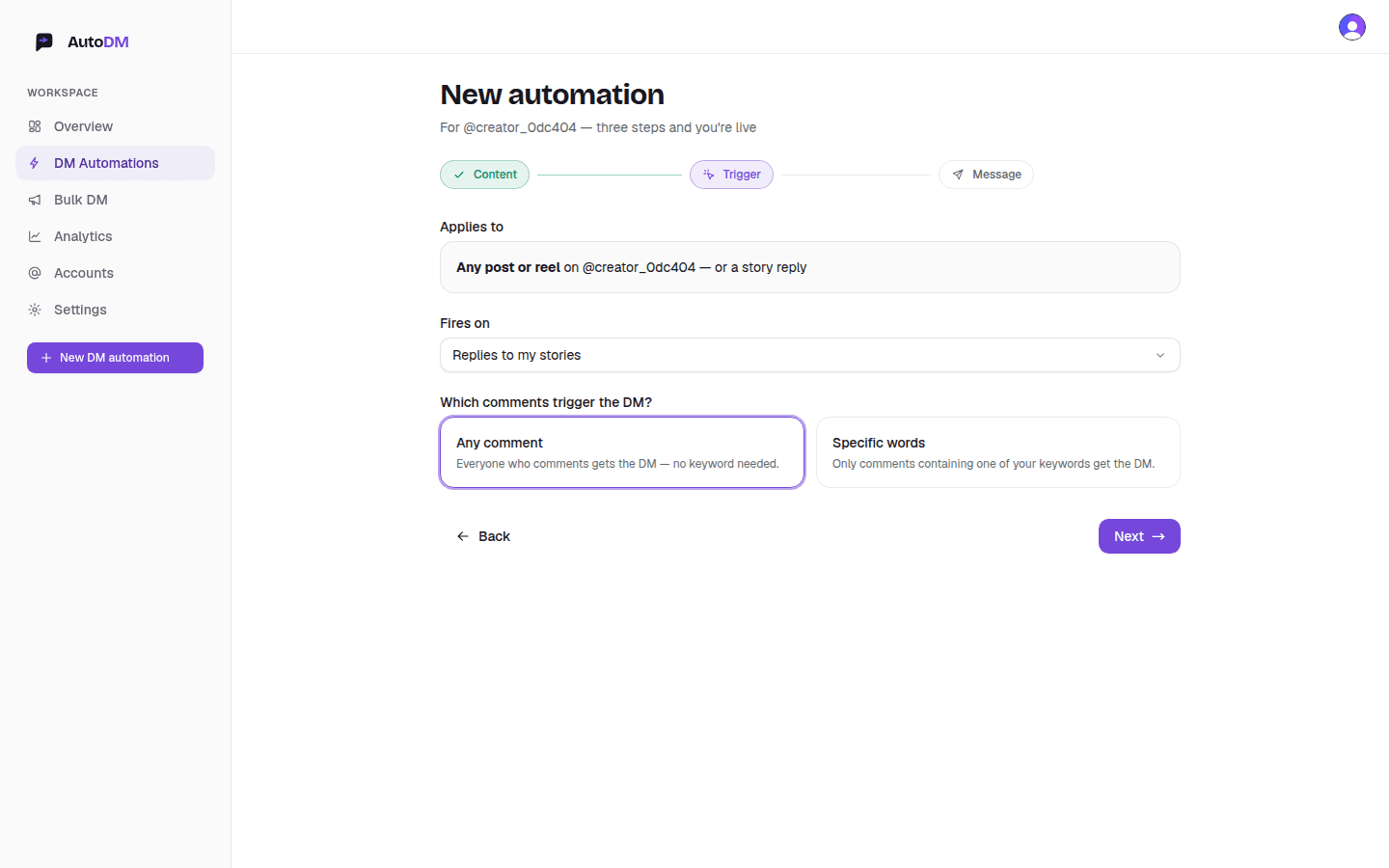
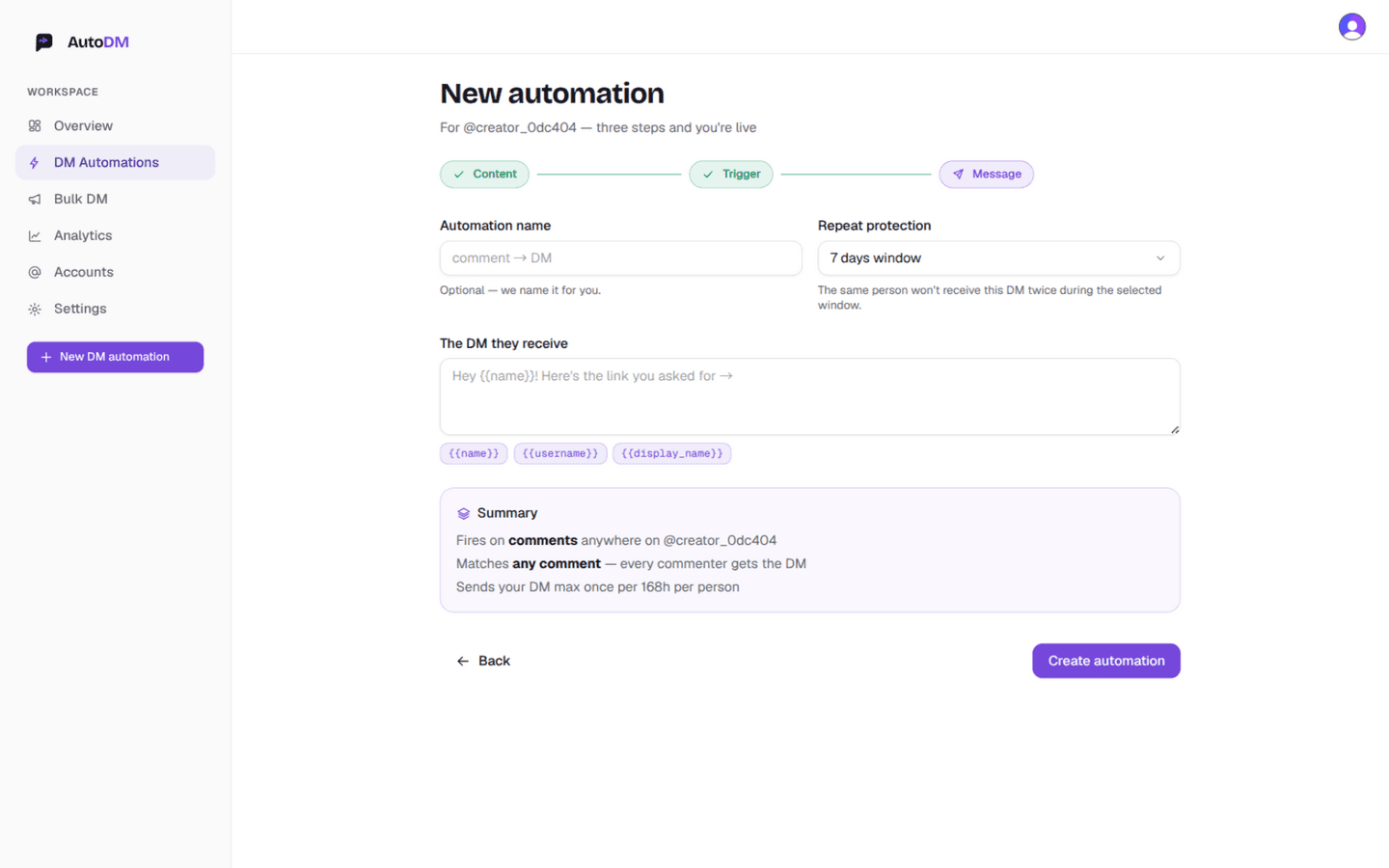
In New DM automation, choose Any post or reel as the scope, then open the Fires on dropdown and pick Replies to my stories — that's the screen in the capture above. From there it's the familiar message step: one template with {{name}} and {{username}}, repeat protection, live preview, create.
The message step looks exactly like it does for comment rules:
One honest constraint
Story reply automation runs account-wide: it watches replies to every story you post, not one story at a time. Instagram's API doesn't let us scope it per-story the way comment rules scope per-post.
In practice that's rarely a limitation — the trigger is “someone cared enough to reply”, and your response template is the same whatever story they saw. If you need different answers per story, run keyword rules: “GUIDE” gets the guide, anything else gets the thank-you.
Everything else behaves like comment rules: pause or edit any time, clone what works, opt-outs respected, and the same person never gets the same DM twice within your repeat window.
Story reply questions
What counts as a story reply?
When someone taps the “Send message” field on your story and writes to you, Instagram delivers that as a direct message to your inbox. That reply is the trigger — once it arrives, AutoDM queues your automated DM back, typically in seconds (subject to Instagram delivery and rate limits).
Can the automation watch just one story?
Not today. Story reply rules run account-wide — they watch replies to any story you post, current and future. That's an Instagram API constraint, not a paywall, and we'd rather say it plainly than imply otherwise. Comment rules are the ones that can be scoped to a single post.
Do keywords work on story replies?
Yes — the same matching modes as comment rules: any reply, whole word, exact phrase, contains, regex. A common setup: any reply gets a thank-you DM, while a keyword like “GUIDE” gets a different message with the actual link.
What should the automated DM say?
Answer what the story was about. A story asking “Which template should I build next?” can DM replyers a thank-you plus a link to the poll results. A launch teaser story can DM the early-link. Personalize with {{name}} and {{username}}, and let repeat protection limit it to one DM per person per window.
How is this different from a comment rule?
Comments are public, stories are private — a story reply already lands in your DMs, so the automation answers a direct message instead of responding to a public comment. Comment rules can target one specific post; story rules always run across your account. Both live in the same three-step wizard.
Is story automation safe for my account?
It runs on Instagram's official Graph API and only messages people who replied to your story first. Repeat protection and opt-out filtering run before every send, and you can pause the rule any time. No automation is risk-free — Meta can restrict any account for policy violations. AutoDM is not affiliated with or endorsed by Meta or Instagram.
Arm it once. Replies answer themselves.
Story reply automation is part of AutoDM — free tier, no card. Also automate the public side:
- Instagram comment auto-replyTurn comments into personalized DMs — keywords or any-comment mode.
- The Instagram AutoDM setup checklistFrom professional account to first automated DM in about ten minutes.